Resend vs SendGrid: 2026 summary and core differences
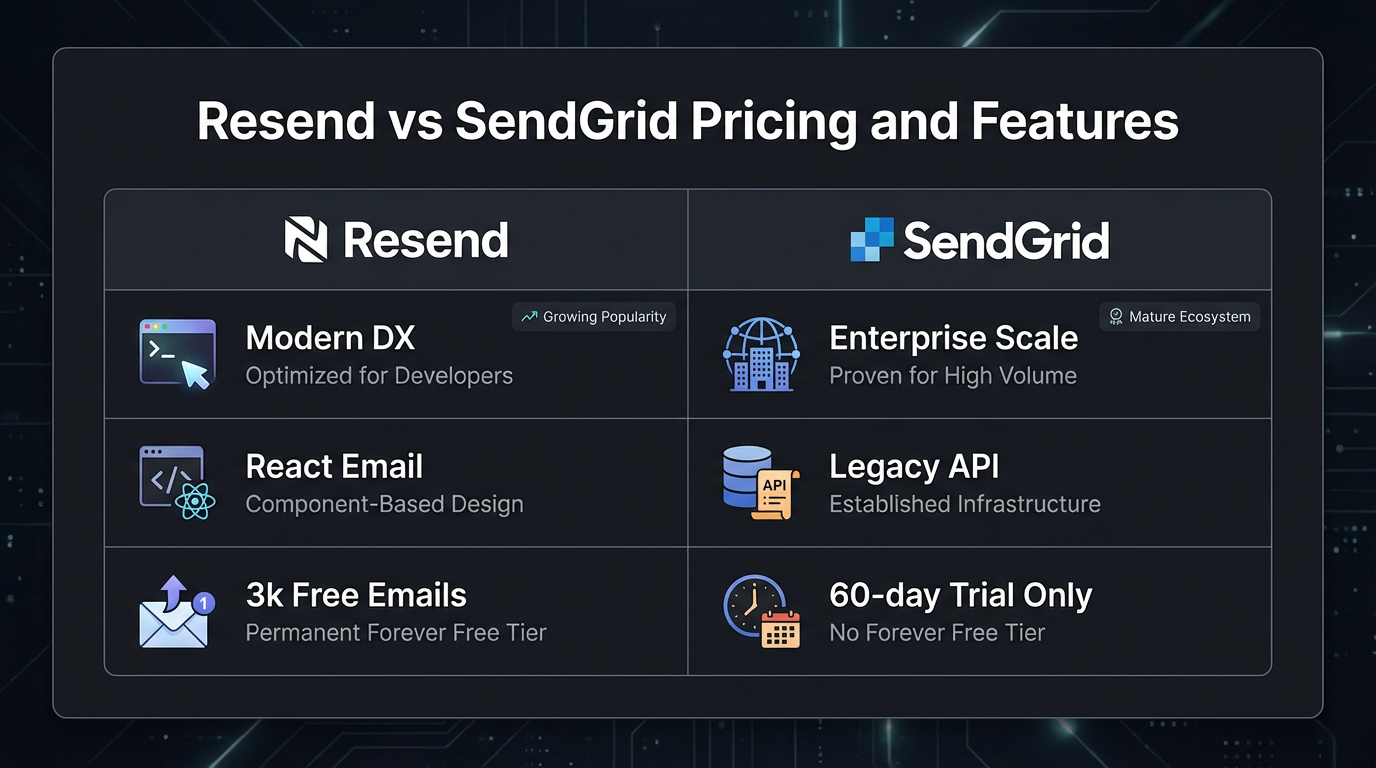
Resend is a modern email API built around React developers; SendGrid is legacy infrastructure designed for high-volume enterprise senders. The most consequential recent change: SendGrid retired its permanent free tier and replaced it with a 60-day trial. At 50,000 emails monthly, both platforms cost approximately $20, but their cost structures diverge as volume grows. Beyond pricing, the technical gap is in deliverability mechanics: SendGrid offers IP warmup automation for dedicated IPs; Resend focuses on developer-native workflows with automated domain warmup tooling. Both platforms charge an additional fee for dedicated IPs, though neither publishes a specific per-IP monthly price on their main pricing pages. The deeper architectural difference is in template language and integration model: Resend is built around JSX-based React Email; SendGrid uses mustache syntax with dynamic templates.
| Feature | Resend | SendGrid |
|---|---|---|
| Free tier | 3,000 emails/month (100/day), permanent | 60-day trial (100/day) |
| Entry paid plan | $20/month (50K emails) | $19.95/month (50K emails) |
| Overage pricing | Plan-based; contact for scale pricing | Volume-based; enterprise pricing above 100K |
| Dedicated IP cost | Available on Scale/Enterprise (price unlisted) | Available; price not published publicly |
| IP warmup process | Automated domain warmup with ramping limits | IP warmup automation available |
| Message retention | Varies by plan (Free: 1-day, Pro: 3-day, Scale: 7-day) | Varies by plan |
| Inbound email routing | Explicit routing rules, webhook-based, limited attachment parsing | MX-based parsing with attachments up to 30MB |
| Template language | JSX (React Email native) | Mustache/dynamic templates |
| SMTP relay | No native SMTP relay (HTTP API only) | Port 587 STARTTLS supported |
| Best for | React/Next.js startups | Enterprise scale and compliance |
How do Resend and SendGrid pricing models compare at scale?
Nodemailer vs Resend vs Sendgrid (2026) - Which One Is BEST? by Paperclick
Resend and SendGrid start at near parity but their cost structures split as volume grows. Both cap the free experience at roughly 100 emails per day. Resend's free tier is permanent at 3,000 emails monthly; SendGrid's trial expires after 60 days, forcing a paid upgrade.
At 50,000 monthly emails, both platforms bill approximately $20. Resend's Pro plan covers this volume flat; SendGrid's Essentials tier does the same at $19.95. The free tier distinction matters for solo developers and indie projects: Resend's permanent 3,000-email monthly allowance continues indefinitely, while SendGrid's trial has a hard cutoff.
At 500,000 monthly emails, the pricing picture changes materially. Resend's public pricing covers plans up to 100,000 emails (Scale at $90/month); above that, pricing is custom. SendGrid's public pricing similarly stops advertising rates above 100,000 monthly and routes higher-volume senders to sales. According to sequenzy.com, neither platform publishes a reliable per-email cost at 500K, so any specific dollar figure at that tier requires a direct quote.
Dedicated IP pricing adds to each bill, though neither Resend nor SendGrid lists a specific monthly cost for dedicated IPs on their public pricing pages. Both platforms position it as an add-on for Scale or Enterprise customers. If you are budgeting for a dedicated IP, expect to contact sales for current pricing rather than relying on any figure in a third-party comparison.
One operational cost that comparison guides consistently underplay: SendGrid includes automated bounce handling natively. Resend requires webhook configuration to capture and log bounces to your own database. For teams without infrastructure experience, building and maintaining that bounce pipeline takes real engineering time, even if the dollar cost is hard to quantify precisely.
Deliverability mechanics: Shared IPs, dedicated IPs, and warmup
Resend vs SendGrid - 2025 Comparison by Sweet Life Beat Life
Inbox placement depends on sender reputation, and reputation depends on which IP pool your emails leave from. Shared IP pools aggregate traffic from many senders simultaneously. When one sender on a shared pool triggers high complaint rates or bounce rates above acceptable thresholds, other senders on that pool face degraded inbox placement. This neighbor contamination risk is the primary reason high-volume senders move to dedicated IPs.
SendGrid has operated shared infrastructure for over 15 years, which gives its pools accumulated sending history. That history can work for or against you: established pools carry positive reputation with major inbox providers, but they also absorb the negative impact of problematic co-tenants. Resend's shared pool is newer and smaller, which means less accumulated negative history but also less proven track record at high send volumes.
Dedicated IPs isolate sender reputation entirely. A dedicated IP belongs to one sender; no neighbor contamination occurs. The tradeoff is that new dedicated IPs carry no reputation history and require warmup before they can handle full send volume reliably.
SendGrid provides IP warmup automation, which gradually increases sending limits according to a schedule designed to build inbox provider trust. The process typically takes around 30 days to reach full volume capacity. Resend offers automated domain warmup with auto-ramping sending limits that pause if key deliverability signals (bounce rate, complaint rate) exceed configured thresholds. Research from devpick.io found that the specific timelines differ by domain age, list quality, and sending patterns; no published data from either vendor gives a reliable average.
AI-generated content introduces a specific shared-IP risk worth understanding. High-volume campaigns with repetitive template patterns or image-heavy layouts can trigger modern spam filter classifiers. On a shared pool, one sender deploying that content type can affect deliverability for co-tenants. Dedicated IPs eliminate this exposure entirely, which is why teams sending AI-generated newsletters or automated outreach at scale should budget for dedicated IP infrastructure rather than assume shared pools will hold up.
Developer experience: SDKs, React Email, and inbound parsing
RESEND VS SENDGRID VS NODEMAILER – WHICH EMAIL API IS BEST IN 2025? by Rapid Guides
Resend's primary differentiator is native React Email integration. Developers write email templates as JSX components, which keeps email code inside the same React codebase used for the rest of the application. For Next.js and Remix teams, this eliminates context switching between application logic and a separate template language.
SendGrid's dynamic template system uses mustache syntax and merge tags for personalization. The approach is flexible and well-documented, but it requires learning a separate templating model. For teams not already using React, this distinction matters less; for React-first teams, it is the most practical workflow difference between the two platforms.
SDK availability is comparable across both platforms. Both expose Node.js, Python, Go, Ruby, and PHP client libraries. The meaningful infrastructure difference is SMTP relay: SendGrid supports port 587 STARTTLS, which lets legacy applications (WordPress installations, older Django projects, any app built around SMTP configuration) route email through SendGrid without API refactoring. Resend does not offer native SMTP relay and assumes HTTP API integration. Teams maintaining older codebases should factor this in before committing to a migration.
Inbound email handling is where the gap is most concrete. SendGrid's inbound parse webhook accepts incoming email, extracts attachments up to 30MB, and forwards structured payloads to a configurable endpoint. Resend's inbound feature uses explicit routing rules per address or domain and forwards to webhooks, but offers limited attachment parsing and no native SMTP parsing for inbound mail servers.
For applications that need inbound handling (support ticket creation, customer reply processing, user-generated content workflows), SendGrid's capability is production-ready. Resend users building inbound workflows typically need to add an external parsing layer. This gap rarely appears in comparison guides because most SaaS products treat outbound sending as the primary use case; for unified email platforms, it is a real constraint.
Webhook delivery speed differs between the platforms in a directional way worth noting. Resend's REST-first architecture generally delivers events with lower latency than SendGrid's infrastructure, which carries SMTP overhead. Neither platform publishes specific millisecond SLAs for webhook delivery, so for compliance systems or real-time engagement tracking, testing both under your actual send patterns is more reliable than trusting any vendor benchmark.
The Bring Your Own Key (BYOK) alternative
BYOK architecture lets developers connect their own AWS SES credentials to a managed multi-tenant platform. Instead of paying vendor markup on email delivery, you own the underlying infrastructure and pay only for the software layer managing reputation, warmup, and routing on top of it.
The cost difference at volume is the main reason teams investigate BYOK. AWS SES charges roughly $0.10 per 1,000 emails. Managed platforms charge significantly more per thousand at scale. For cost-sensitive operations sending millions of transactional emails monthly, the gap between AWS SES base rates and managed platform overage pricing becomes a material budget line.
Transmit's BYOK model connects your AWS SES credentials to a managed platform that handles domain warmup with auto-ramping limits, per-domain reputation isolation, and sub-200ms API latency for transactional sends. You get infrastructure-level control without building the deliverability tooling yourself.
The security tradeoff is straightforward: BYOK requires granting API access to your AWS credentials. If your AWS account is compromised, email infrastructure is exposed. Managed platforms absorb that infrastructure security responsibility. BYOK works well for teams already running AWS accounts with active IAM credential rotation; for teams using Vercel or Heroku with no existing AWS footprint, adding AWS account management is genuine operational overhead.
BYOK makes sense when you send high volumes monthly, already manage AWS infrastructure, or require guaranteed infrastructure isolation for compliance reasons (healthcare data, financial services, regulated environments). It is not the right starting point for early-stage teams or anyone without existing cloud infrastructure experience.
Which should you choose?
Choose Resend if your stack is React-first, you are building a new SaaS product, and you want email templates that live inside your existing component library. The permanent free tier suits solo developers and early projects; the React Email integration removes a real friction point for frontend teams.
Choose SendGrid if you need SMTP relay for legacy systems, require robust inbound email parsing with attachment support, or are operating at enterprise scale with compliance requirements that benefit from SendGrid's long operational track record.
Consider a BYOK platform if you send at volumes where managed per-email pricing becomes a significant cost, already operate AWS infrastructure, and want deliverability tooling (warmup automation, reputation isolation) without vendor markup on the underlying delivery cost.
The free tier change at SendGrid is the most actionable recent development for new projects: if you are starting from zero, Resend's permanent 3,000-email monthly limit gives you indefinite runway without a billing conversation.
Related Reading
- Postmark vs SendGrid comparison – How Postmark stacks up against SendGrid for transactional email.
- SendGrid alternatives – Explore other platforms beyond SendGrid for email delivery.
- SendGrid vs Mailchimp – Compare SendGrid with Mailchimp for marketing and transactional needs.
- Loops vs Resend – A look at Loops as an alternative to Resend.
- Mailgun vs SendGrid – How Mailgun compares to SendGrid for email APIs.
Frequently asked questions
What is the real cost difference between Resend and SendGrid at scale?
At 50,000 monthly emails, both platforms cost approximately $20. Above 100,000 emails monthly, neither platform publishes transparent per-email pricing; both route high-volume senders to custom enterprise quotes. Dedicated IP pricing is an additional cost on both platforms but is not listed publicly. For exact budgeting above 100K monthly, request quotes from both vendors directly.
Does Resend or SendGrid offer better deliverability?
Both platforms achieve high inbox placement rates when senders follow standard authentication practices (SPF, DKIM, DMARC). SendGrid provides IP warmup automation for dedicated IPs. Resend offers automated domain warmup with auto-ramping limits. For shared IP sending, both platforms carry neighbor contamination risk; dedicated IPs eliminate that exposure on either platform. The practical deliverability difference for most SaaS teams comes down to list hygiene and authentication setup, not which platform you use.
Can I migrate from SendGrid to Resend easily?
The API switch is straightforward: both platforms accept standard email API calls, and most applications change only API keys and SDK imports. Template conversion requires manual work because SendGrid's mustache templates do not map directly to React Email JSX. Webhook payload formats differ between the two platforms, requiring handler updates. For small teams with simple sending workflows, a migration typically takes one to two days. Larger installations with custom bounce handling and inbound workflows take longer.
Should I use a dedicated IP or a shared IP?
Shared IPs work for low-to-medium send volumes where your sender reputation is not yet established and neighbor contamination risk is acceptable. Dedicated IPs make sense above roughly 500,000 monthly emails, for multi-tenant SaaS platforms where reputation isolation matters, or for senders deploying AI-generated content at scale. Dedicated IPs require warmup before they handle full volume; both Resend and SendGrid provide warmup tooling.
What is BYOK and why would I use it?
BYOK means connecting your own AWS SES credentials to a managed email platform. You pay AWS SES base rates (roughly $0.10 per 1,000 emails) instead of managed platform per-email markup. The tradeoff is that you own AWS account security and infrastructure management. Use BYOK if you already operate AWS infrastructure and send at volumes where per-email pricing is a significant cost. Avoid it if you are early-stage or lack cloud infrastructure experience.