Why developers look for resend alternatives in 2026
Resend is purpose-built for early-stage teams shipping with React Email. Its free tier supports 100 emails per day (3,000 per month), and the Pro plan starts at $20 per month for 50,000 emails. Developers pursuing alternatives to Resend typically hit constraints across three areas: volume scaling that makes per-email pricing punitive at 100k+ monthly sends, log retention that is too short to debug failures reported days after delivery, and limited deliverability tooling beyond basic authentication setup.
The real architectural problem emerges at scale. Teams running high monthly volumes eventually need to separate transactional delivery (where latency matters most) from marketing broadcasts (where cost matters most). The shift to Google and Yahoo sender requirements in 2024 also forced ESPs to bundle domain warmup, reputation isolation, and automatic bounce handling directly into their APIs. Resend does not document automated domain warmup or reputation isolation as core features, leaving that operational work to the developer.
How to migrate React Email templates to other providers
React Email components are not proprietary to Resend. The library exports raw HTML through a standard rendering function, making migration straightforward at the template layer.
React Email renders to HTML by calling render(Component), which returns a string. That string can be passed directly to any email API that accepts raw HTML. The migration path is:
- Extract your React Email components from Resend's template UI into your codebase as
.jsxfiles. - Import
renderfrom thereact-emailpackage and callrender(YourComponent({}))at send time. - Pass the resulting HTML string into the target platform's API under the
htmlfield. - Update your API credentials or SMTP configuration if switching send methods.
The catch: React Email components that use global styles or CSS-in-JS may not render identically across all email clients. Test the rendered output in a preview tool like Litmus or Email on Acid to catch display regressions before you cut over in production. Some platforms include preview tools natively, which shortens this validation loop.
For bulk sends, batch rendering on a worker thread before kicking off API calls avoids blocking the main request loop. You need only the react-email package and your target platform's Node.js SDK. No vendor lock-in exists at the template layer itself.
Nodemailer vs Resend (2026) - Which One Is BETTER? by Paperclick
What are the best resend alternatives for transactional email?
Transactional email refers to system-triggered messages (password resets, order confirmations, OTPs) sent on-demand, as opposed to marketing broadcasts scheduled in advance. The 2026 landscape has consolidated around providers offering both transactional and marketing capabilities in a single platform, paired with automated deliverability workflows that address post-2024 Google and Yahoo requirements.
Traditional ESPs handled both streams but penalized transactional senders by mixing them with marketing traffic on shared IP pools, degrading deliverability when marketing campaigns hit spam complaint thresholds. Modern alternatives to Resend split this by offering isolated sending pools, automatic bounce handling, and domain warmup that ramps sending limits based on reputation signals rather than requiring manual configuration.
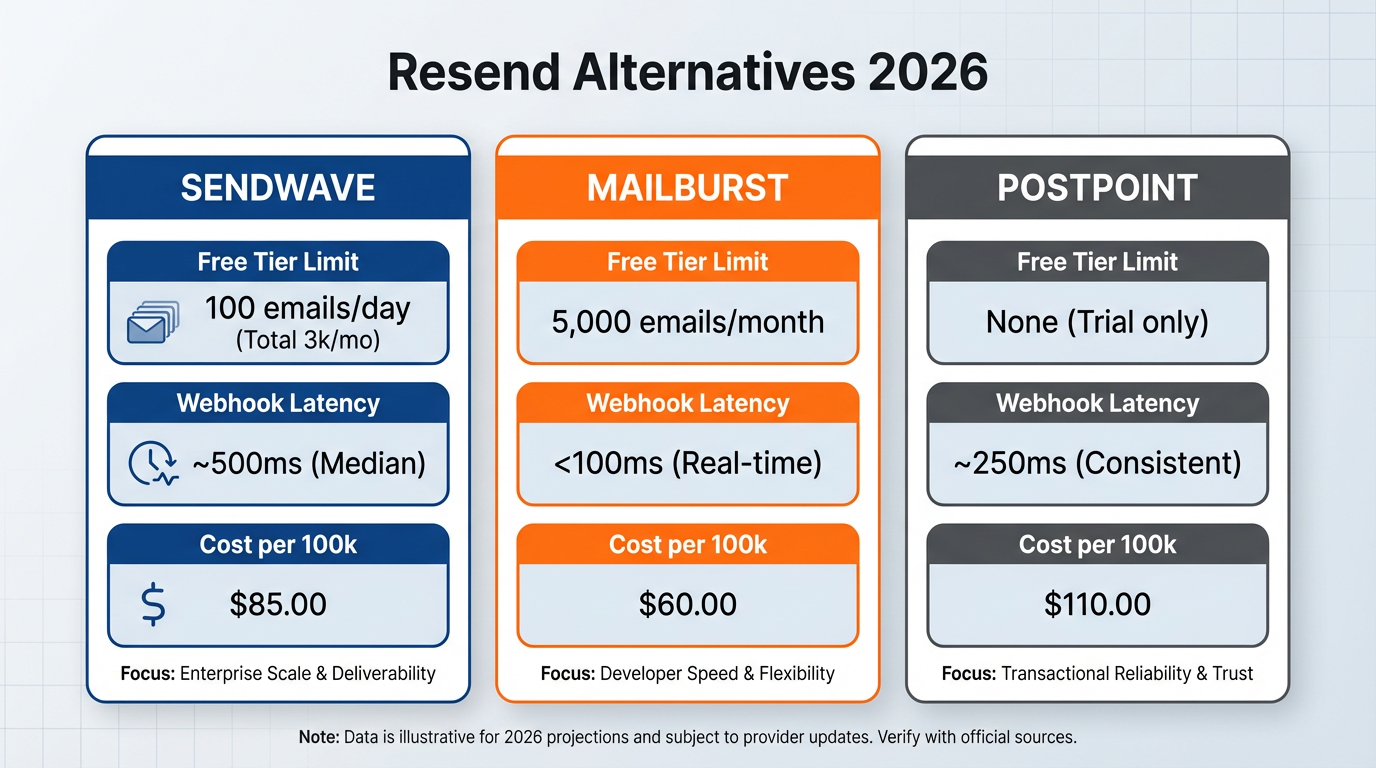
The table below maps free tier limits, entry pricing, and React Email compatibility for the most commonly referenced alternatives. Webhook latency ranges reflect general platform architecture characteristics rather than controlled benchmarks; actual performance varies by region and load.
| Provider | Free limit | Entry price | React Email compatible | Log retention |
|---|---|---|---|---|
| Resend | 100/day | $20/mo | Native | Not publicly specified |
| Postmark | Trial only | ~$15/mo | Yes (via HTML) | 45 days |
| Transmit | See site | See site | Yes (via HTML) | 7 days |
| SendGrid | 100/day trial | ~$20/mo | Yes (via HTML) | 30 days |
| Brevo | 300/day | $9/mo | Yes (via HTML) | 90 days (paid) |
| MailerSend | Low-volume free tier | See site | Yes (via HTML) | 30 days |
All providers in this list accept raw HTML in their send API, meaning any React Email component rendered via render() is compatible.
Transmit
Transmit is an API-first email delivery platform offering two deployment modes: managed infrastructure (where Transmit controls the sending infrastructure) and BYOK (Bring Your Own Key), where you supply AWS SES credentials and Transmit operates as a control plane on top. In BYOK mode, you pay the underlying AWS SES per-email rate plus Transmit's platform fee, which at high enough volumes makes it the most cost-efficient option in this comparison. AWS SES pricing varies by region and volume tier, so the effective per-email cost depends on your account configuration.
In managed mode, reputation isolation is built in. Each customer's sending pools are separated at the domain level, so a bounce or complaint on one customer's domain does not affect another customer's deliverability. This model matters for multi-tenant SaaS platforms: you do not need to manually police customer behavior or provision dedicated IPs on demand. In BYOK mode, Transmit provides control-plane features (warmup scheduling, bounce tracking, validation) but the underlying AWS infrastructure is yours.
Domain warmup is automated in both modes. Transmit monitors bounce and complaint rates in real time and auto-pauses sending if either exceeds configured thresholds, resuming once rates normalize. The system auto-ramps daily send limits upward as domain reputation builds, removing the need for manual warmup schedules.
For edge-deployed applications on Vercel or Cloudflare Workers, Transmit's sub-200ms API latency for transactional sends is a documented capability, enabling sends from edge runtimes without routing through origin servers.
How to Self-Host Unsend on Coolify – A Resend Alternative Using SES by Raddy
Postmark
Postmark offers a trial sandbox but does not maintain an ongoing free tier for production sends. The entry paid plan is approximately $15 per month. Log retention runs 45 days by default, covering most real-world support and debugging windows. That 45-day window is a concrete operational advantage over providers with shorter retention: a user reporting a missing email three weeks after it was sent is debuggable without digging through external log aggregators.
Postmark requires strict separation of transactional and broadcast (marketing) message streams. Each stream uses a different API endpoint and credentials. This is not a limitation: it ensures that marketing campaigns with elevated complaint rates cannot degrade transactional deliverability. Teams comfortable with this split find it enforces clean architectural practices and simplifies deliverability monitoring per stream.
Postmark emphasizes fast delivery to major ISPs for transactional messages, though specific latency benchmarks are not publicly documented.
SendGrid
SendGrid offers a 100-email-per-day free trial (time-limited, not permanent), with paid plans starting around $20 per month. For lower-tier customers, SendGrid operates shared IP pools. When multiple senders share a single IP, the IP's reputation is a collective score. A sender on the same IP who hits high complaint rates can degrade delivery for everyone else sharing that address within hours, according to research from Mailgun.
Dedicated IPs are available as an add-on at higher plan tiers. They require manual warmup: you must gradually increase daily send volume over several weeks or risk ISP filters treating the volume surge as anomalous. This is operational overhead that more automated platforms abstract away.
For high-volume senders (1 million or more emails per month) who are already invested in the Twilio ecosystem, SendGrid's infrastructure and support tier make sense, provided you are prepared to manage IP warmup and reputation monitoring as ongoing tasks.
Brevo
Brevo (formerly Sendinblue) has the most generous free tier in this group at 300 emails per day, with paid plans starting at $9 per month. It also bundles SMS capabilities, making it a practical option for teams needing email and text message delivery from a single platform without integrating a separate SMS provider.
Brevo's transactional API prioritizes cost and breadth over raw speed. For fire-and-forget transactional sends (order confirmations, notifications) where your application does not need immediate delivery confirmation, this is not a problem. For use cases where your application polls for delivery status in real time, the slower event pipeline warrants testing before committing.
Log retention extends to 90 days on paid plans, the longest default window in this comparison and useful for audit or compliance workflows.
MailerSend
MailerSend offers a free tier for low-volume senders (no credit card required to start), with paid plans for higher volumes. The entry-level paid tier is priced for side projects and low-volume senders; check the current pricing page as tiers have changed. Email verification is included on all plans, which is notable: most platforms charge separately for address validation. MailerSend's built-in verification checks syntax and MX records before send time, reducing bounces without requiring a third-party validation service.
Lower-tier accounts have API daily request limits. These are sufficient for most transactional sends but constrain bulk campaign operations; moving to a higher tier removes the cap entirely.
How webhook latency impacts your application
Webhooks are how email platforms notify your application of delivery events: bounces, opens, clicks, complaints. Latency is the time from when the email platform detects the event to when your webhook endpoint receives the HTTP POST.
When webhook delivery is fast, your application can update user records in response to bounce events quickly enough to prevent duplicate actions. A user submitting a sign-up form that triggers a verification email can receive bounce feedback and a corrected database state within the same interaction window.
When webhook delivery is slow, bounces arrive with multi-second delays. If your application auto-retries failed sends or marks contacts as invalid, those operations trigger late. A user might attempt signup multiple times in the interim, creating duplicate records or confusing support interactions.
At scale, latency variance compounds. For a platform sending 100,000 transactional emails daily, even a consistent latency difference across events means a growing backlog of unprocessed bounce signals during peak hours. This can make it appear your application has lost mail when it has simply not yet synchronized the event from the email platform, as noted in this guide from Sequenzy.
Most platforms queue webhooks asynchronously to avoid blocking your main request loop, but you still pay the latency cost when cross-referencing webhook data against real-time user state for compliance or audit queries. For B2B SaaS applications, faster bounce sync means your support team can identify and contact affected users before they submit tickets about missing emails.
Shared IPs vs reputation isolation for deliverability
Shared IP pools are economical for email platforms but create collective risk for senders. When multiple customers share a single IP, the IP's reputation reflects the aggregate behavior of everyone on it. If one customer sends to a bad list and triggers elevated complaint rates, all customers on that IP see degraded delivery, even if their own campaigns are clean.
SendGrid's shared IP model applies to lower-tier accounts. A single sender with a compromised contact list can drag down delivery rates for others on the same IP within hours.
Dedicated IPs solve the isolation problem but introduce operational overhead. You must manually warm up a new IP by gradually increasing send volume over several weeks. Senders who provision a dedicated IP and immediately blast large volumes routinely land in spam folders and struggle to recover their sender reputation.
Reputation isolation without dedicated IPs is the approach modern platforms use. By separating sending pools and authentication chains at the domain level, each customer's domain carries its own reputation with ISPs. A bounce or complaint on one customer's domain does not degrade delivery for another, even if both use shared underlying IP infrastructure. This eliminates manual warmup because the domain reputation builds incrementally based on observed bounce and complaint rates, and the platform auto-adjusts send limits accordingly. For SaaS platforms offering email capabilities to end customers, this model is the practical choice. Shared IP pools would require you to manually police customer sending behavior and provision dedicated IPs on demand. Per-domain reputation isolation removes that operational burden and eliminates the legal exposure that comes with one customer's bad behavior affecting another's service, as outlined in this overview from Sender.net.
Nodemailer vs Resend vs Sendgrid (2026) - Which One Is BEST? by Paperclick