What is the primary difference between SendGrid and Amazon SES?
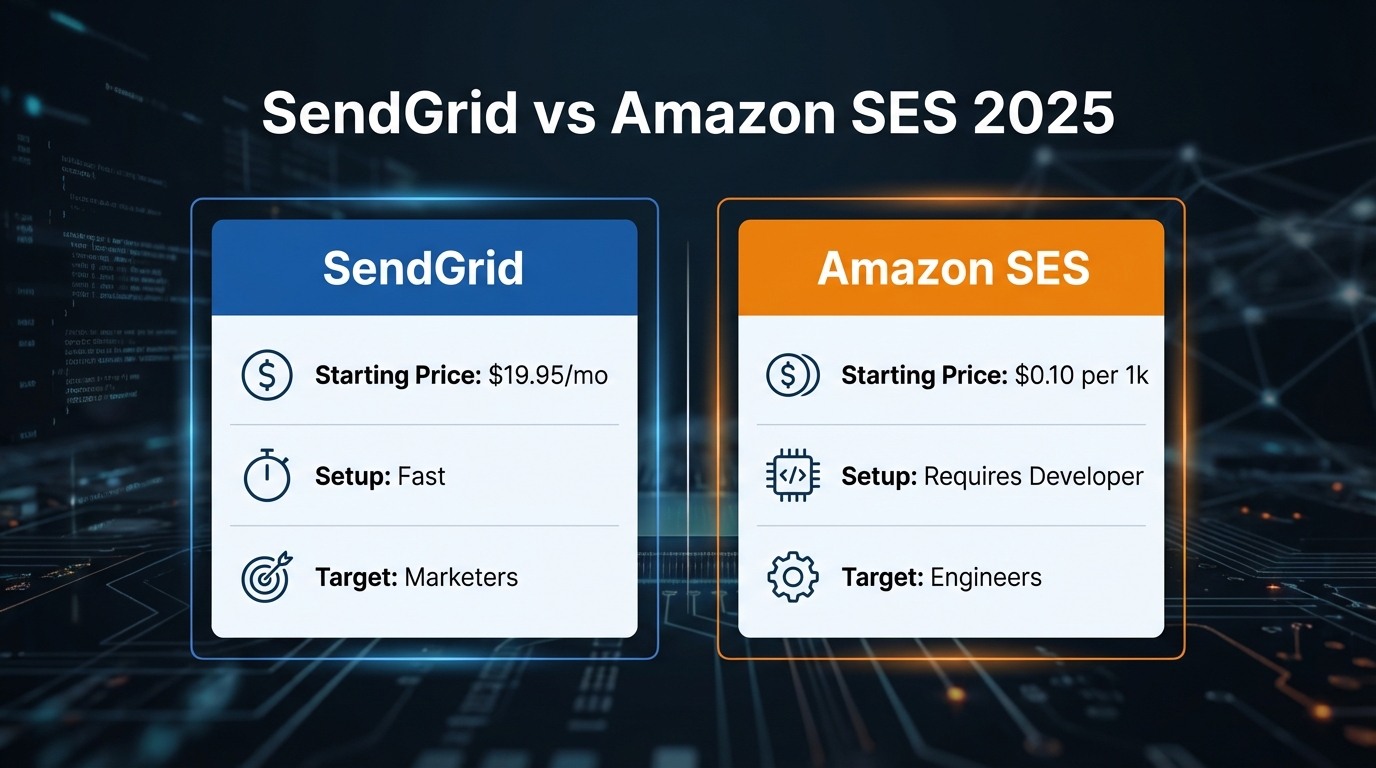
SendGrid is a managed email platform. Amazon SES is raw infrastructure that requires you to build your own email management layer. SendGrid charges a subscription fee that includes a visual campaign builder, pre-wired bounce and complaint tracking, analytics dashboards, and support. You pay $14.95 per month for up to 50,000 emails, $89.95 per month for 100,000 emails on the Pro plan, and pricing scales from there. Amazon SES is priced like AWS compute: $0.10 per 1,000 emails sent. There is no campaign builder, no bounce dashboard, and no automatic complaint handling. When a recipient marks your email as spam or an address hard-bounces, SES routes the event to an SNS (Simple Notification Service) topic, which you must wire to a Lambda function to process. Analytics require CloudWatch queries or a custom dashboard. Domain warmup requires manual rate management.
The architectural difference is direct: SendGrid sells convenience; SES sells raw capacity. A startup with a developer on staff might prefer SES. A marketing team without engineering resources must use SendGrid or hire contractors to build the missing layer.
Comparison of SendGrid vs Amazon SES
| Feature | SendGrid | Amazon SES |
|---|---|---|
| Base pricing | $14.95/mo (50k emails) | $0.10 per 1k emails |
| Visual campaign builder | Yes | No |
| Bounce handling | Built-in, automatic | Manual via SNS and Lambda |
| Complaint tracking | Built-in dashboard | SNS events only |
| Real-time analytics | Yes | CloudWatch queries required |
| Dedicated IP cost | ~$30/mo per IP | $24.95/mo per IP |
| Sending restrictions | 100 emails/day free tier limit | 200 emails/day sandbox until approved |
| Typical setup time | Under 1 hour | 2-4 days including sandbox exit |
| Shared IP reputation risk | Yes; shared pool risk applies | Domain-level reputation only |
| Multi-step sequences | Yes | Build custom workflows |
| Contact list management | Yes, built-in | Manual or third-party tools |
| Best suited for | Marketing teams, rapid deployment | Cost-sensitive, high-volume, AWS-native teams |
The 7 Best SMTP Service Providers with High Email Deliverability by WPBeginner - WordPress Tutorials
Which email service is cheaper: Amazon SES or SendGrid?
SES wins on per-email cost. SendGrid wins on time-to-production. At 50,000 emails per month, SendGrid costs $14.95 while SES costs $5.00. At 100,000 emails, SendGrid's Pro plan is $89.95 while SES costs $10.00. The per-email math strongly favors SES at any volume, but this comparison ignores engineering cost entirely.
Amazon SES requires you to integrate SNS, Lambda, and CloudWatch, then build monitoring and alerting infrastructure before you send a single production email. A senior developer billing $150 per hour will spend roughly two weeks (around 80 hours) wiring this infrastructure. That is approximately $12,000 in one-time engineering cost at contractor rates, based on research from StackReaction that production-grade SES bounce and complaint handling takes one to two weeks of senior development time. For a team sending 100,000 emails per month, that $12,000 investment buys more than eleven years of SendGrid Pro subscriptions at the current $89.95 rate. The monthly savings from SES at that volume are only about $80, so the payback period stretches past a decade.
The math changes at higher volumes. At 1 million emails per month, SES costs $100 and SendGrid scales into several hundred dollars per month. At 10 million emails, SES costs $1,000 and SendGrid pricing reaches into the thousands monthly, making the engineering investment recoverable within a few months. The breakeven depends on your sending volume and engineer rate, but for most teams sending under 1 million emails monthly, SES does not save money once development time is included.
When calculating true cost of ownership, include developer time. A spreadsheet showing only per-email costs misses the infrastructure buildout that precedes any savings.
Best WordPress SMTP Email Services (Free & Paid) Sendinblue Vs SendGrid Vs Elastic vs Amazon & More by IdeaSpot
Calculating the engineering cost of Amazon SES
The $0.10 per 1,000 emails rate excludes the engineering work required to operate SES in production for a company handling transactional and marketing email simultaneously. Here is what must be built.
Bounce and complaint handling. When SES detects a hard bounce or complaint, it routes the event to an SNS topic you configure. You must build a Lambda function that consumes these SNS messages and writes events to a database. This function must be idempotent (safe to run if the same event arrives multiple times) and handle deduplication. Industry estimates for this component range from a few days to over a week depending on complexity.
Email validation before sending. SendGrid blocks invalid and disposable addresses before they queue. With SES, you add validation inline using third-party APIs or libraries, which adds latency and API cost to your send path.
Analytics and real-time dashboards. SendGrid shows opens, clicks, bounces, and complaints in a dashboard out of the box. With SES, you log events to CloudWatch and either query them manually or build a custom reporting layer using Lambda, DynamoDB, and a frontend. This is typically the most time-consuming component, as noted in this comparison by Sequenzy.
Domain warmup scheduling. SendGrid provides warmup guidance and tooling. With SES, you manually request sending limit increases from AWS support or programmatically manage send rate and backoff logic.
Webhook event routing. SES publishes events to SNS, not HTTP webhooks. If your application stack expects webhooks, you build a Lambda function to convert SNS messages to HTTP POST requests and add retry logic for failed deliveries.
Monitoring and alerting. You configure CloudWatch alarms for high bounce and complaint rates, wire these to Slack or PagerDuty, and write runbooks for failure scenarios.
The commonly cited estimate for all of this together is one to two weeks of senior development work. At $150 per hour, 80 hours totals $12,000 at the low end. More complex setups with custom analytics, multi-region redundancy, or shared infrastructure provisioning push this higher. For teams without existing AWS infrastructure, add time for VPC, IAM, and networking setup. These costs are real but not fixed. A team already running Lambda and SNS for other workloads will spend less. A team new to AWS will spend more.
Which platform has better email deliverability in 2025?
Deliverability depends on domain reputation and IP pool isolation. Amazon SES relies entirely on your sending domain and IP address reputation. SendGrid's shared IP infrastructure creates a risk that other senders on the same IP pool can degrade your deliverability even when your own metrics are clean.
Shared IP platforms like SendGrid can experience inbox placement drops when other users on the same pool generate high complaint or bounce rates. This is a structural risk of shared infrastructure, not a SendGrid-specific flaw. Microsoft's Outlook and Hotmail inboxes have historically been strict about IP reputation signals, and senders on shared pools have reported deliverability issues when neighboring senders behave badly. The safest approach to avoid this on SendGrid is a dedicated IP, which removes shared pool exposure entirely.
SES avoids shared IP risk by isolating reputation at the domain level. A newly registered domain will have low reputation on both platforms. The difference emerges after 30 to 60 days of consistent sending. With SES, your domain reputation grows independently based on engagement and failure metrics. With SendGrid on a shared IP, your reputation is tied to the pool.
For teams needing reliable deliverability without a dedicated IP, SES combined with a deliberate warmup strategy (starting low and ramping gradually) gives you full control over your sending reputation. For teams needing quick time-to-inbox without engineering overhead, SendGrid with regular list hygiene and engagement-based sending can achieve strong deliverability. Neither platform is inherently superior. The difference is isolation: SES protects you from other senders' behavior; SendGrid on a shared IP does not.
NEW Postmark vs Amazon SES — Best High-Delivery Transactional Email for Startups by How2Genius*
How to exit the Amazon SES sandbox
New Amazon SES accounts start in sandbox mode with a 200-email-per-day limit. This restriction is designed to protect the reputation of Amazon's IP pool and prevent abuse during account onboarding. In sandbox mode, you can only send to email addresses you have manually verified in the console. To send to any address at production volume, you must request production access from AWS support.
AWS support typically responds within one to two business days, though timelines vary. Here is what a strong production access request includes.
Use-case clarity. Describe exactly what type of emails you send: transactional (password resets, order confirmations), marketing (newsletters, promotions), or inbound handling. State frequency and volume specifically: "We send 10,000 transactional emails per day to users who explicitly created accounts." Vague use-case descriptions are the most common reason requests are delayed.
Bounce and complaint handling plan. AWS expects you to describe how you process bounces and complaints. Explain your infrastructure: "We use SNS to receive bounce events and write them to a database. Hard-bounced addresses are automatically suppressed from future sends." This demonstrates you will not repeatedly blast invalid addresses and damage IP reputation.
Email list quality commitment. Commit to suppressing hard-bounced addresses and monitoring complaint rates. A complaint rate target below 0.5% is a reasonable benchmark to cite. AWS and ISPs care about complaint rates in aggregate because high complaint rates affect IP reputation across all senders on a pool.
Unsubscribe and contact path. Provide a way for recipients to unsubscribe or contact you. This is required for CAN-SPAM and GDPR compliance and AWS will ask for it.
Escalation path. If your first request is rejected, respond to the AWS email with more detail about your use case and monitoring setup. Most rejections are reversed on appeal.
Once approved, the 200-per-day cap is lifted and replaced with a sending rate limit that varies by account history and region. You can request further increases as volume grows.
Can I use SendGrid and Amazon SES together?
Yes. A hybrid setup is common for teams that want SendGrid's campaign tools without paying SendGrid's per-email rate for high-volume transactional traffic.
The typical split works like this. Route transactional emails (password resets, OTPs, order confirmations) through SES via its SMTP endpoint or API. These emails are triggered by user actions, need fast delivery, and generate high volume at low per-email cost. Route marketing emails (newsletters, campaigns, promotions) through SendGrid using its campaign builder and contact management tools. Marketing email does not require millisecond delivery; campaigns are scheduled in advance and benefit from SendGrid's visual editor and scheduling features.
For inbound email handling, SES routes incoming messages to Lambda via SNS. SendGrid handles inbound through HTTP webhooks. Choose based on which processing model fits your existing stack.
Implementation requires dual SDK integration. Both SES and SendGrid publish official SDKs for Node.js, Python, Go, and Ruby. The cleanest approach reads the email provider from an environment variable or a field on the contact or campaign model, so your application sends transactional traffic to SES and campaign traffic to SendGrid without duplicating business logic. Monitor delivery metrics separately for each provider to catch issues specific to one path.
The hybrid approach costs more upfront because you maintain both integrations. But it eliminates SendGrid's per-email premium on transactional volume and avoids the full engineering overhead of building campaign tooling on raw SES.
When to choose an alternative email provider
Some teams find SendGrid's subscription pricing too expensive and SES's engineering requirements too time-consuming to justify at their current stage. A third option exists: API-first platforms that provide a managed dashboard on top of AWS infrastructure, handling bounce routing, complaint suppression, and event webhooks automatically without requiring you to write Lambda functions or manage CloudWatch.
The structural difference from SendGrid is ownership. With a bring-your-own-credentials model, you connect your own AWS account to the platform. Bounce routing and complaint suppression run through your infrastructure, and you own your email data directly in your AWS account. If you switch providers, you revoke credentials and your data stays in your own S3 buckets and DynamoDB tables. With SendGrid, your contact data and event history live in SendGrid's infrastructure.
Transmit follows this model. It wraps AWS-based sending with built-in domain warmup, per-domain reputation isolation, and email validation (covering syntax, MX records, disposable email detection, and risk scoring), so you get cost efficiency close to raw SES without building the management layer yourself. This approach fits SaaS teams that want infrastructure ownership and cost efficiency but cannot justify a dedicated email engineering hire at their current headcount. For more details, see our SendGrid vs Transmit comparison.
Frequently asked questions
Is Amazon SES truly cheaper than SendGrid when you factor in engineering time?
Not at low volumes. Building production-grade SES infrastructure takes roughly one to two weeks of senior development work, which at $150 per hour totals around $12,000 at the low end for contractor time. At 100,000 emails per month, SES saves about $80 per month over SendGrid Pro ($10 vs. $89.95). At that savings rate, the engineering investment takes over a decade to recover. At 10 million emails per month, SES costs approximately $1,000 and SendGrid pricing reaches several thousand dollars monthly, so the engineering investment pays back within a few months. Calculate your own breakeven by dividing your expected one-time engineering cost by the monthly savings at your anticipated volume, as LabNify highlights in their cost analysis.
What happens if I exceed my Amazon SES sending limits?
AWS throttles your sending rate or temporarily rejects messages. You can request a limit increase by contacting AWS support and providing your use case. For established accounts with clean sending metrics, increases are typically approved within one to two business days. Ramp volume gradually so you hit your limit before you actually need to send at peak rate.
Can I use my own domain with both SendGrid and Amazon SES simultaneously?
Yes, but only one provider should be the primary sender from a given domain for reputation purposes. Both platforms authenticate with your domain's DKIM and SPF records. You can configure DNS to allow both, but this splits your sender reputation across two IP histories. The hybrid approach works best when you send transactional email via SES and marketing email via SendGrid, both authenticated with your domain. Reputation stabilizes once each IP builds its own sending history.
How long does it take to exit the SES sandbox?
AWS support typically responds within one to two business days. If your use case is clear (transactional or marketing email to opted-in users) and you describe bounce handling, approval is usually straightforward. Submit your request early so you have time to ramp volume before your go-live date.
What is the main advantage of Amazon SES over SendGrid?
Cost at scale. At 10 million emails per month, SES costs approximately $1,000 versus several thousand dollars for SendGrid. For high-volume senders, the lower per-email rate and absence of overage fees make SES attractive despite the engineering overhead. SendGrid's advantage is the opposite: one-click setup, built-in tools, and no infrastructure management.
Which platform offers better API performance?
SES benefits from tight integration with the AWS network, which reduces latency for senders already running workloads on AWS in the same region. SendGrid's API is globally distributed. For transactional email like password resets and OTPs, delivery speed matters more than for scheduled campaigns, which is why teams often route time-sensitive sends through SES even in hybrid setups.
Conclusion
SendGrid and Amazon SES serve different teams. SendGrid is the right choice if you need a marketing UI, have limited engineering resources, and can absorb monthly subscription costs. Amazon SES is the right choice if you have a developer available, send millions of emails monthly, and can invest the upfront engineering time.
Shared IP risk is real on SendGrid. The safest way to eliminate it is a dedicated IP, which costs around $30 per month extra. If deliverability matters more than UI convenience and you want domain-isolated reputation from day one, SES's architecture gives you that without shared pool exposure.
If you want cost efficiency close to raw SES without building bounce handling, complaint suppression, and analytics from scratch, evaluate platforms that let you connect your own AWS credentials to a managed sending layer. That model gives you infrastructure ownership alongside the tooling that SendGrid charges a subscription premium to provide. For example, Transmit vs Amazon SES offers a detailed look at how this approach compares to raw SES.
Start with the platform that matches your team's current capabilities, then revisit the decision as your sending volume grows.
Related Reading
- SendGrid vs Amazon SES comparison – A detailed technical breakdown of integration and automation differences.
- Alternatives to SendGrid – Explore other email platforms that may fit your use case.
- The SendGrid Exodus: Why SaaS is Switching to BYOK – Insights into why teams are moving away from SendGrid to bring-your-own-key models.